From any wallet or exchange
The buyer doesn't need an OroPay account. They get an address and the exact amount and pay in USDT, BTC, ETH or other coins — from wherever they keep them. Payments are usually credited 1–3 minutes after sending.
Buyers pay from any wallet or exchange — they don't need an OroPay account. The money lands on your balance right away, and your server gets a signed payment notification.
The button opens the bot in Telegram. A shop is created in the app in a couple of minutes — no sales calls.
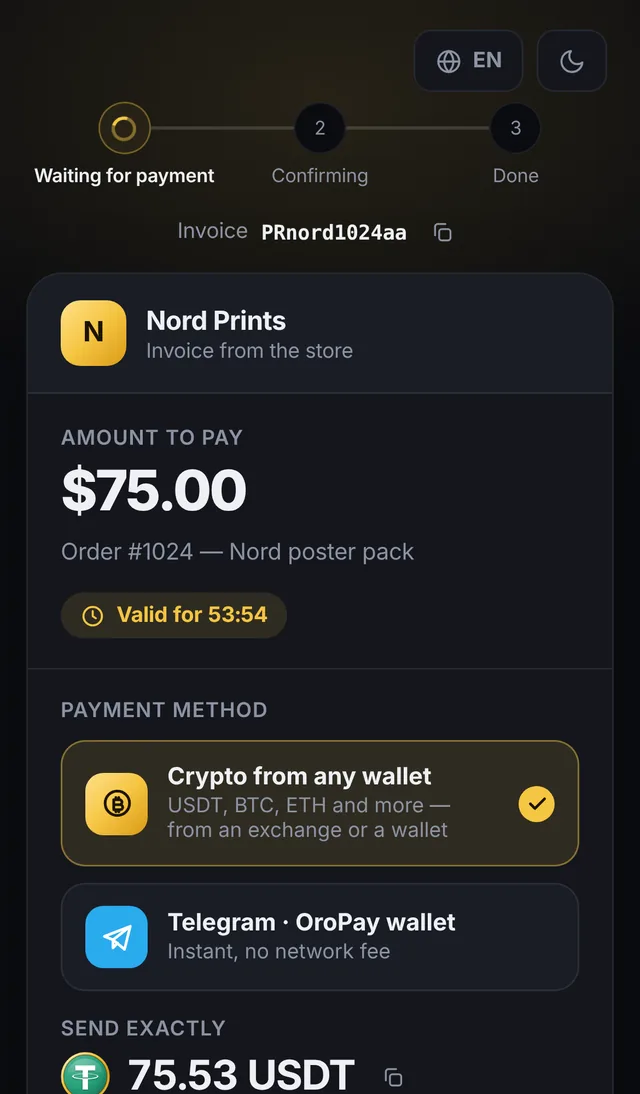
oropay.app/pay/… — what the buyer seesOne API key — and your bot, website or channel accepts crypto. No wallet required on the buyer's side and no lengthy onboarding.
The buyer doesn't need an OroPay account. They get an address and the exact amount and pay in USDT, BTC, ETH or other coins — from wherever they keep them. Payments are usually credited 1–3 minutes after sending.
If the buyer has an OroPay wallet, they pay from their balance in a couple of taps. The debit on their side and the credit on yours happen in a single operation.
When paying from a balance, a $100 invoice is exactly $100. Invoices are issued in USD, EUR, RUB or UAH; the buyer picks the coin.
A test invoice goes through the whole flow without money. Every webhook is signed with HMAC-SHA256, and the dashboard has a “Send a test webhook” button — you see your server's response right away.
The shop receives the coin the buyer paid with, no conversion. Then it works like any OroPay balance: withdraw, swap or sell on P2P.
A four-step wizard in the app: name, API key, webhook URL — done. The documentation is open, so you can start without talking to a sales manager.
Anywhere your buyers are already in Telegram or ready to pay in crypto from their own wallet.
The bot issues an invoice via the API, the buyer pays in Telegram or from any wallet, and the invoice.paid webhook delivers the goods. Idempotency by orderId — no double credits.
A payment link for each cohort or plan; access opens on the webhook. Need a refund? Full or partial, in one request.
Subscriptions in USDT or USDC for 7, 30, 90 or 365 days with a trial period. Access to the channel or chat is granted by your bot — it checks the subscription via the API.
In-game purchases as invoices right from the mini app: payUrl opens the invoice in the OroPay bot, and payment from a balance is instant with no network fee.
An invoice in USD or EUR and a single oropay.app/pay/… link for the client — they pay from any wallet or exchange and the money lands on your balance. Invoices are created with an API request: a short script is all it takes.
Three steps from an empty screen to the first payment. Creating a shop needs no review or approval.
In the OroPay app: More→Business→Shop. The wizard asks for a name and shows the API key once, together with the webhook signing secret — save them.
Set the webhook URL (HTTPS only). One request creates an invoice, one handler receives invoice.paid. Check the wiring with the “Send a test webhook” button and a test invoice — no money moves.
Send the buyer the payUrl — the invoice opens in the OroPay bot — or the checkoutUrl, the payment page for any wallet. Once paid, you get the webhook and the credit on your balance.
# the key goes in the header, from an environment variable
curl -X POST https://oropay.app/api/merchant/invoice \
  -H "Authorization: Bearer $OROPAY_KEY" \
  -H "Content-Type: application/json" \
  -d '{"amount":"100.00","currency":"USD",
       "orderId":"order-1024",
       "description":"Pro subscription, 1 month",
"feeMode":"BUYER"}'{ "ok": true,
"invoice": {
"code": "PRbtixbbdeoy", "status": "PENDING",
"amount": "100.00", "charged": "100.75",
"payUrl": "https://t.me/OroPayBot?start=pay_PRbtixbbdeoy",
"checkoutUrl": "https://oropay.app/pay/PRbtixbbdeoy" } }{ "event": "invoice.paid",
"invoice": { "orderId": "order-1024", "status": "PAID",
"paidToken": "USDT", "paidChain": "TRON" } }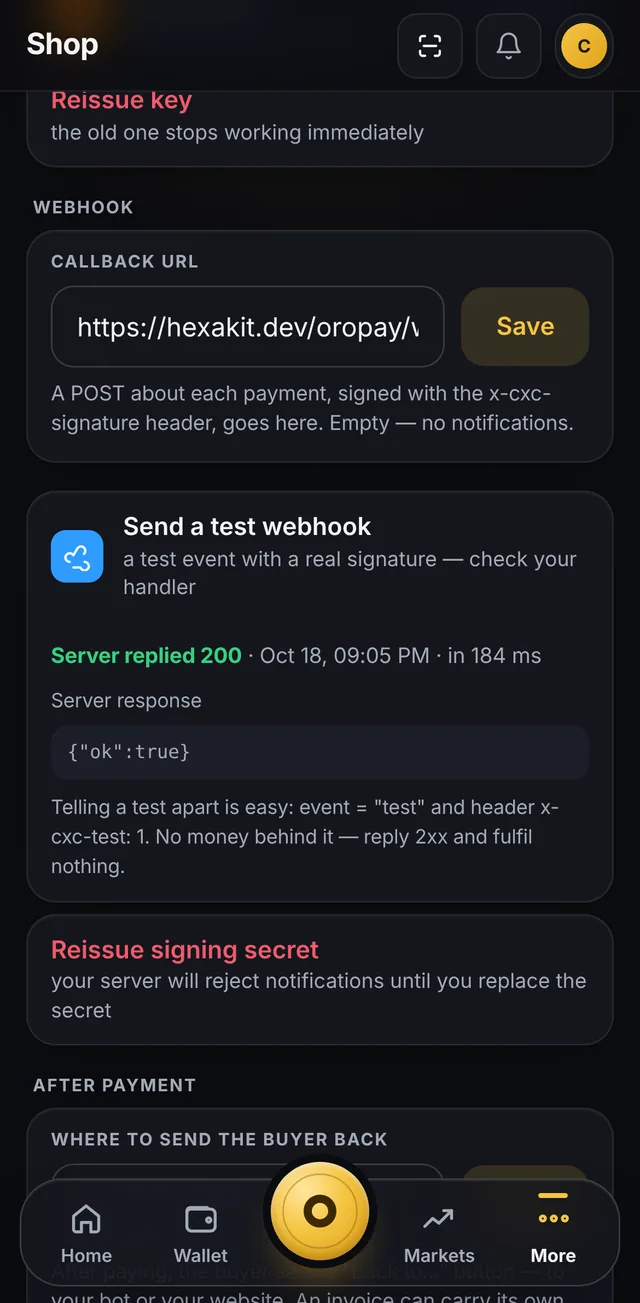
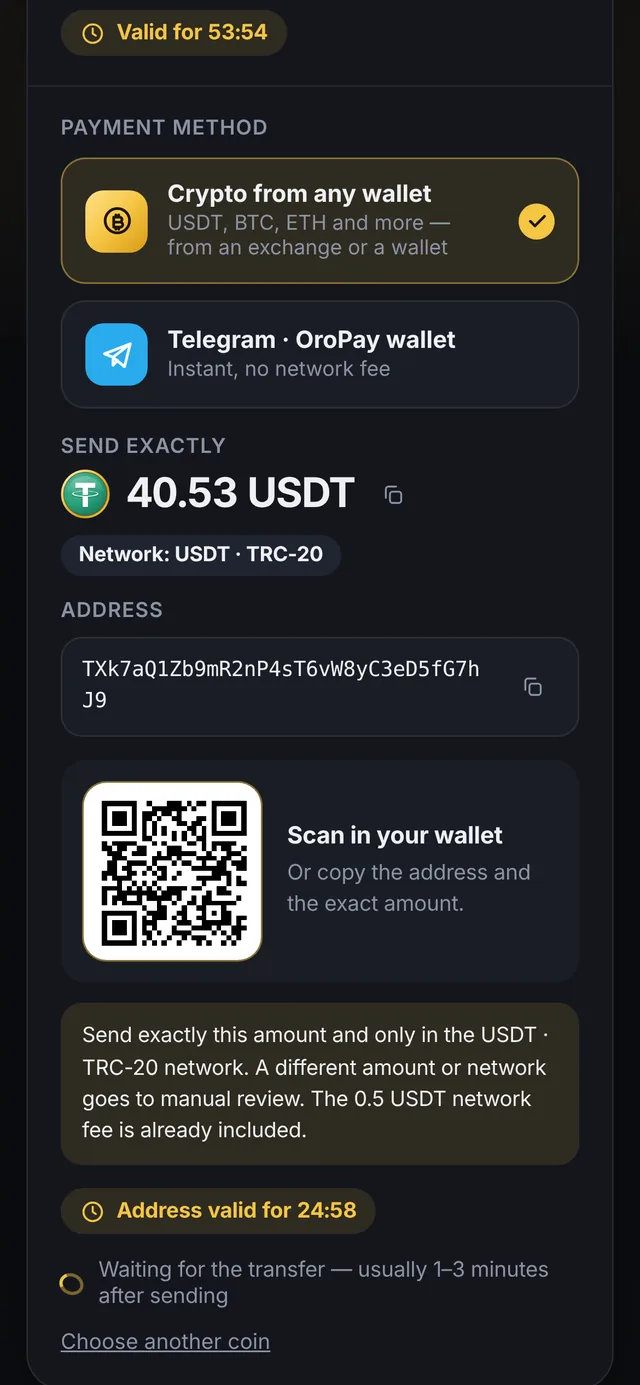
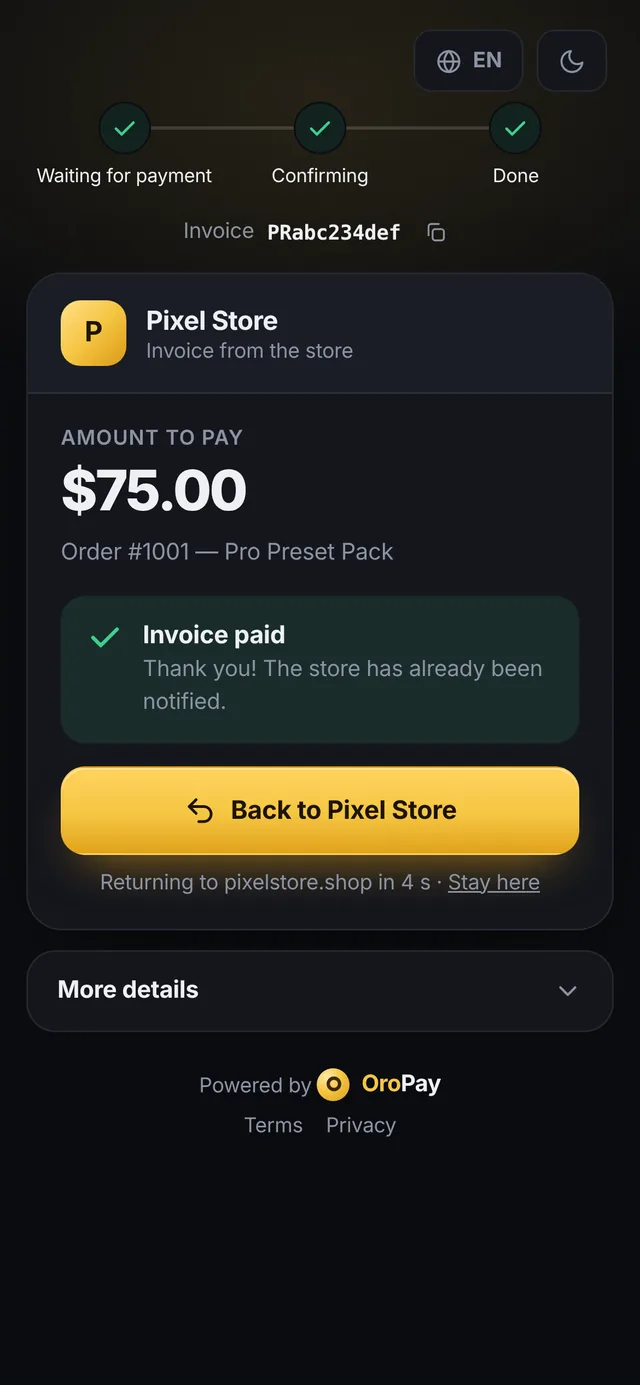
Light or dark theme, English and Russian, three steps at the top: waiting for payment → confirming → done.
returnUrl.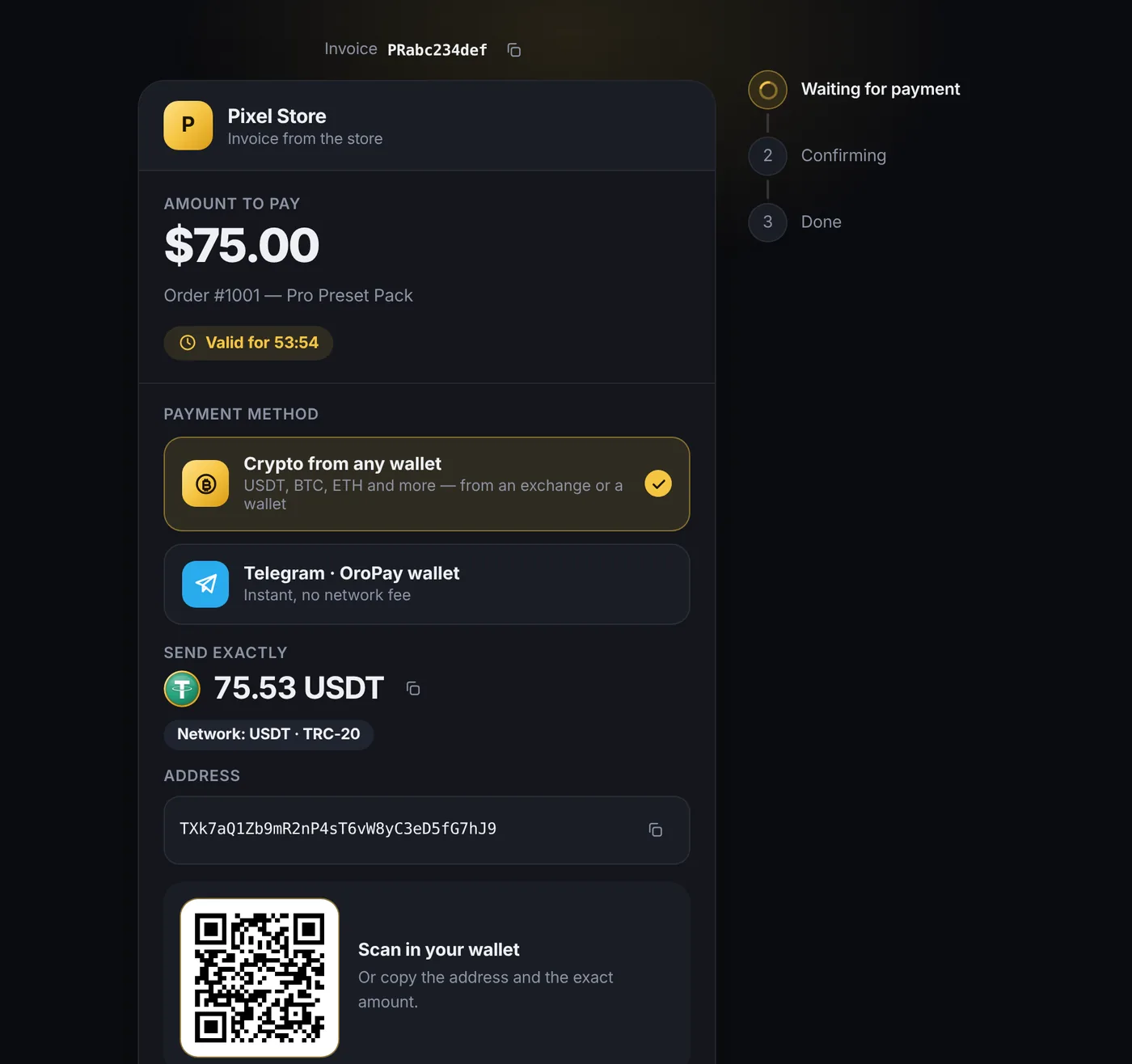
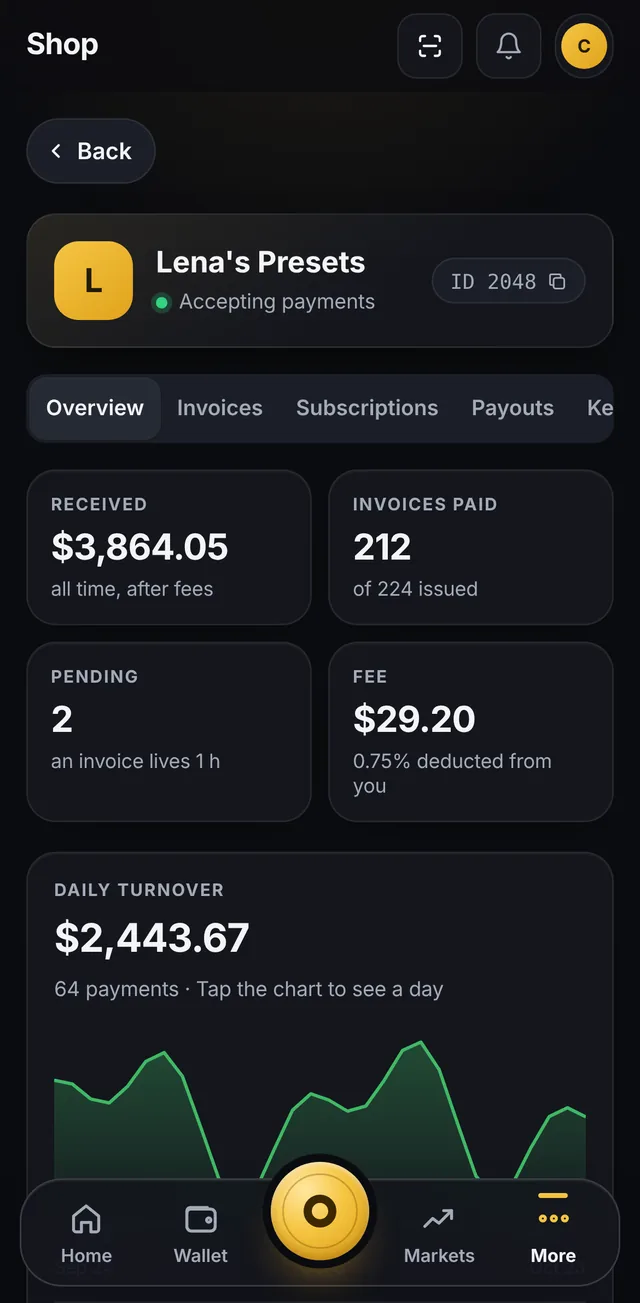
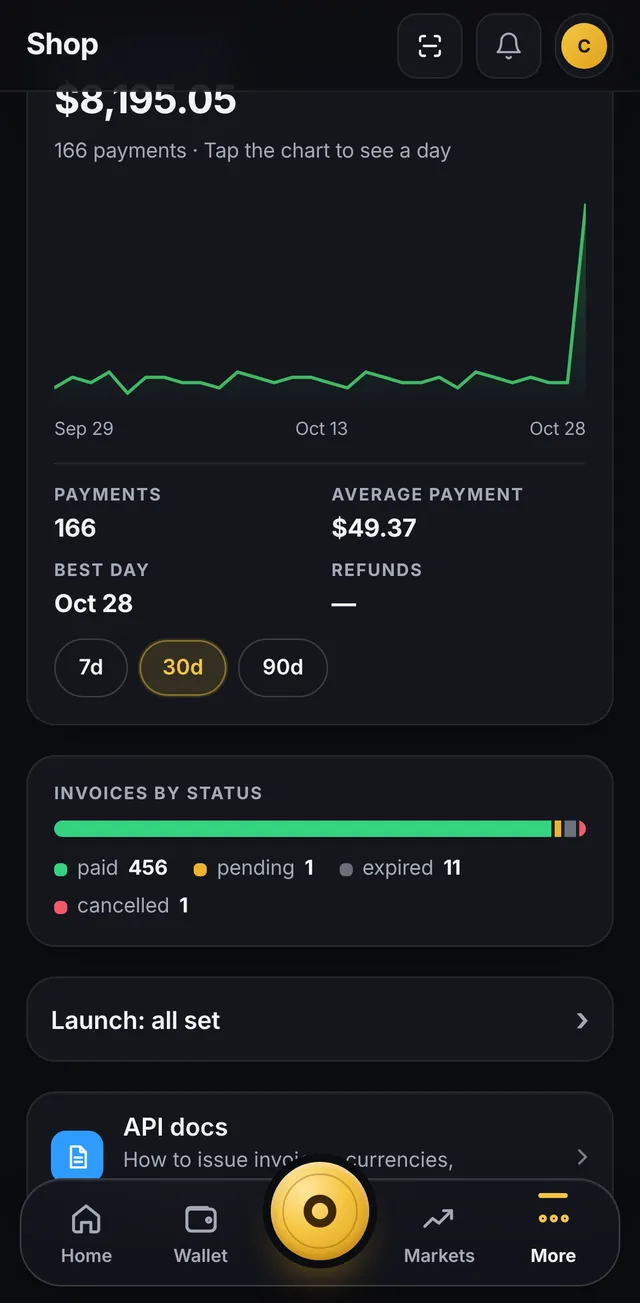
The shop lives next to your wallet: stats, invoices, subscriptions, payouts and keys — in five tabs.
One number, no minimum fee and no fine print. Who pays it is up to you.
of the invoice amount. There is no minimum fee: on a $2 invoice we withhold a cent and a half.
First 30 days — no fee. The clock starts when you create your first shop.
60 days — with a promo code from our social media: enter it in the bot and the period is extended. One promo code per owner.
| Term | How it works |
|---|---|
| Fee | 0.75% of the invoice amount locked in when the invoice is created |
| Minimum fee | None |
| Who pays | Your choice: the shop — withheld from the payment, or the buyer — added to the invoice invoice of 100 → 100.75 to pay |
| First 30 days | 0% from the moment your first shop is created |
| With a promo code from social media | 0% for 60 days the code is entered in the bot |
| Paying in Telegram from a balance | No network fee, instant |
| Paying to an address | The buyer pays the network fee it is already included in the amount to send |
| Refund to the buyer | Full or partial, via the API the fee is not returned on refunds |
| Invoice currency | USD, EUR, RUB, UAH the buyer picks the coin; an invoice is valid for 1 hour |
Know someone who could use crypto payments? Bring a shop through your link and earn a share of our fee on its payments.
/ref command or tap “Invite friends”, and share the link with the shop owner.No. On the payment page the buyer picks “Crypto from any wallet”, gets an address and the exact amount, and pays from an exchange or a wallet — they never see our bot. If they do have an OroPay wallet, they can pay from their balance in Telegram: instantly and with no network fee.
From an OroPay balance — USDT, USDC, TON (GRAM), BTC, ETH, SOL, TRX, LTC, XRP and BNB.
To an address from any wallet — USDT (TRC-20, BEP-20, ERC-20, TON), USDC (BEP-20, ERC-20), TON, TRX, BNB, ETH, LTC, SOL and BTC (for invoices from $70). XRP is not accepted to an address.
The buyer picks the coin; you issue the invoice in USD, EUR, RUB or UAH. The set of networks may change — the current list is in the documentation.
No. The shop receives the coin the buyer paid with, without conversion — from then on its price is your call. The invoice card shows the dollar amount at the moment of payment. Keep it, swap it in the app or sell it on P2P — up to you.
Payments from an OroPay balance are instant. Transfers to an address usually arrive 1–3 minutes after sending: 99% or more of the amount is credited automatically, anything less goes to manual review. An invoice is valid for 1 hour, the payment address for 25 minutes (BTC and LTC — 60).
Your server learns about the payment from the signed invoice.paid webhook: delivered over HTTPS, a 2xx reply is expected within 15 seconds, otherwise up to 12 retries over roughly 6 hours. A notification also appears in the app feed, and the invoice shows up in the Invoices list.
Yes. Create an invoice with "test": true — the buyer sees a “Test invoice” label and a “Pay (test)” button, and your server receives a regular webhook with test: true. No money moves, and test invoices stay out of the statistics. A test invoice can only be paid on the payment page, not in Telegram. Separately, the dashboard has a “Send a test webhook” button that shows your server's response code and response time.
0.75% of the invoice amount, no minimum fee. You choose who pays it: the shop — then it is withheld from the payment, or the buyer — then it is added to the invoice (100 → 100.75). For the first 30 days after creating your first shop there is no fee, and with a promo code from our social media — 60 days.
Yes, full or partial — with an API request. Refunds are part of payouts: enable them in the dashboard (PIN confirmation and a risk acknowledgement); the default limits are $100 per payout and $500 per day. A paid invoice cannot be cancelled — only refunded. The fee is not returned on refunds.
Support is right in the OroPayBot bot: the /support command or the menu button. The API documentation is open at oropay.app/merchant/en, and news and updates are posted in the @OroPayNewsEn channel.
Create a shop in the bot, get your key and issue a test invoice. The first 30 days are free of fees.